
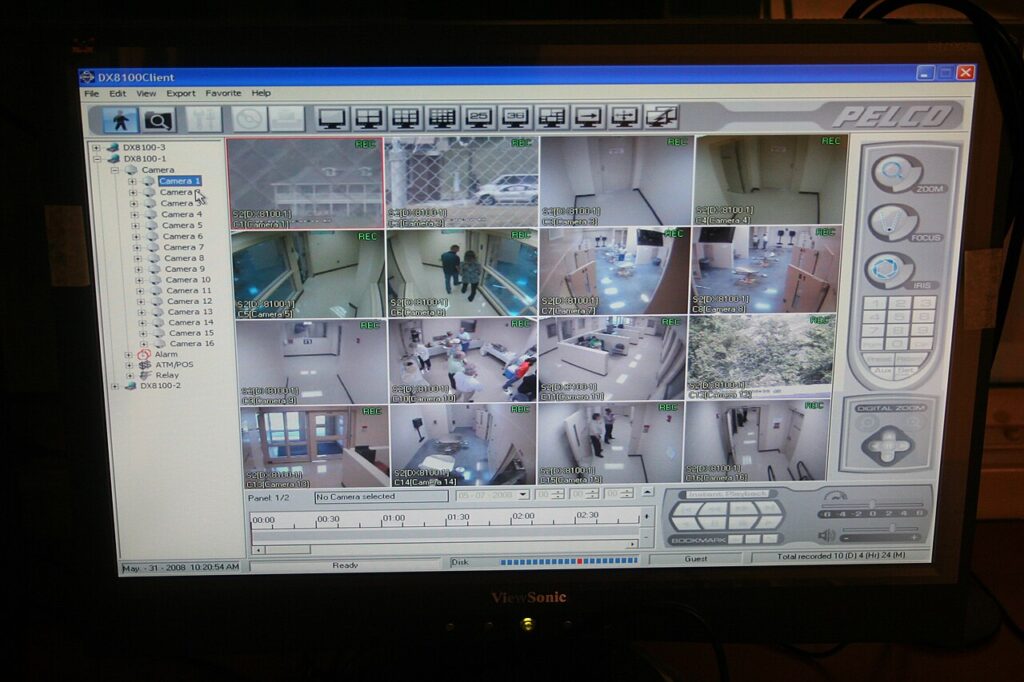
Security cameras are one of those purchases most Long Island business owners make once, then live with for a decade. That makes the decision worth a little homework. Two words come up in every quote you will see: DVR and NVR. They sound interchangeable. They are not, and the difference affects picture quality, network safety, and how much you will pay to fix things later.
DVR and NVR: What the Letters Actually Mean
A DVR (Digital Video Recorder) is the older of the two. Cameras wired to a DVR typically use coaxial cable with BNC connectors, and the recorder itself handles the video processing. Most DVR units are limited to around 30 frames per second across the system, which is why footage from older setups can look choppy or blurry when you zoom in. If you have ever tried to identify a face or a license plate from a DVR recording and gotten a smear of pixels, this is why.
An NVR (Network Video Recorder) works with IP cameras. The cameras capture and process video themselves, then send it over the network to the recorder. Because each IP camera carries its own resolution, an NVR system scales up in quality in a way a DVR never can. The trade-off: since the cameras and the NVR talk over Ethernet, you need real bandwidth headroom, and the recorder should be planned carefully into your network.
Why NVR Gear Should Stay Separate From Your Main Network
Here is the part most installers will not tell you: an NVR recording from network cameras can put serious traffic on your LAN. If the camera system is thrown onto the same switch and subnet as your workstations, servers, and point-of-sale devices, you can end up with data corruption risk and network conflicts that show up as mysterious slowdowns.
The standard practice is to keep the NVR and its cameras on their own switch or VLAN, isolated from the internet-facing network. A network specialist plans this on day one. A camera-only installer often does not, which is why the conflicts tend to surface weeks later, after everyone has signed off.
Blind Spots Cost More Than Cameras Do
Homes can get away with a basic 4-channel recorder and a couple of cameras over the garage. A business cannot. Retail stores, warehouses, and office buildings have entrances, alleys, loading areas, and register lines that each need coverage. The worst thing a business owner can do is skimp on channel count and end up with blind spots right where incidents happen.
Before anyone drills a hole, a walkthrough should map the blind spots: every door, every cash handling point, every area where product sits unattended. That walkthrough determines how many channels you actually need, not the other way around.
Troubleshooting a System That Is Already There
Plenty of Long Island businesses already have CCTV installed and just need it to work. Common failures include a DVR that stopped recording, cameras dropping off the network, or footage that will not play back when you actually need it. These are network problems more often than camera problems, and they need someone who can trace cabling, check switch ports, and read the recorder’s logs, not just swap a camera head.
One clarification that comes up on service calls: surveillance DVR systems are different from the DVR boxes cable and internet providers rent out for television. We only service the surveillance (CCTV) side. If your issue is with a TV DVR from your provider, that is a call to them.
What a Proper Installation Looks Like
A sound business camera installation includes: a channel count based on a real blind-spot walkthrough, NVR or DVR equipment matched to the camera resolution you actually want, cabling run cleanly and labeled, the recorder isolated from your main business network, and remote viewing configured so you can check footage from your phone without opening your network to the internet. Storage planning matters too, since retention requirements vary by industry.
Networks has been installing and troubleshooting business security camera systems across Nassau County, Western Suffolk, and Eastern Queens for decades, and because we are network specialists first, the camera system gets planned around your computers and not against them. If your current system has channels of dead footage or conflicts with your office network, an onsite evaluation will find out why.