
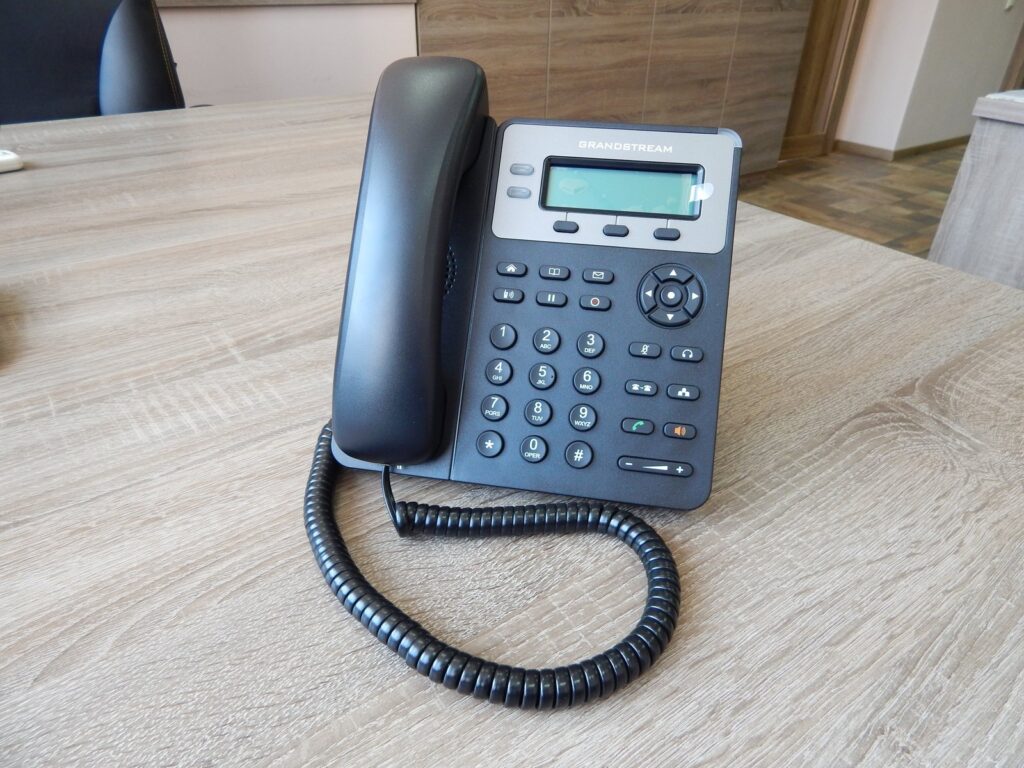
Why Offices Are Retiring Landlines
Plenty of offices around Long Island still run on a phone setup that was designed a generation ago: a cabinet in a closet, monthly line charges that grow every year, and changes that require a technician on site. If adding a single extension feels like a project, that is the sign the system has become the boss of you instead of the other way around.
Modern office VoIP phone systems flip that arrangement. Calls travel over your internet connection instead of dedicated phone lines, so the handsets on every desk no longer depend on special wiring. Moves, additions, and new employees become settings you change in software rather than truck rolls and hardware purchases.
What a Modern VoIP Phone System Actually Does
Small businesses are often surprised by how much capability arrives with a properly configured Voice over IP setup. A business VoIP installation typically includes:
- Auto attendant that answers callers with a menu and routes them to the right department or extension
- Voicemail to email, so messages reach your inbox as audio attachments you can play anywhere
- Call forwarding and call transfer between desks, cell phones, and remote offices
- Ring groups and call queues, so sales calls are answered in order and never lost in someone’s voicemail
- Conference calling and extension dialing between team members
- Call recording where policy or training requires it
- Mobile and desktop apps, so a call can ring a desk phone first, then a cell if nobody picks up
Remote and Hybrid Staff Without Losing Your Caller ID
One of the strongest arguments for VoIP is the way it handles people who are not in the building. A remote employee can have a real desk phone at home or a softphone app on a computer or smartphone. Outgoing calls still show your business caller ID, not a personal number, and customers have no idea the person they reached is not at a desk in the office.
Before You Sign Anything: A Practical Checklist
Vendors make switching sound effortless, and the technology genuinely is mature. The differences between a smooth cutover and a frustrating one come from preparation. Work through these items before you commit.
1. Check Your Network Readiness
Voice over IP rides on your data network, not beside it. With only one or two phones a network may cope by accident, but once several handsets, laptops, and devices share the same connection, call quality depends on proper configuration — prioritized voice traffic, adequate switch capacity, and clean cabling. A network check should happen before contract day, not during it.
2. Plan for Number Porting
You can keep your existing phone numbers. Porting typically takes two to four weeks, and it should be coordinated so your lines never go dark: the port is staged so the new system picks up before the old one releases. Because that window is longer than the install itself, start the port early and treat it as the backbone of the whole schedule.
3. Map Your Call Flow on Paper
Auto attendant menus, ring groups, after-hours routing, and voicemail rules are only useful if someone actually decided them. Sketch how a caller moves through your company today, then how you want it to work: which menu options, which extensions, what happens after five rings. This one page of planning becomes the programming the installer will build for you.
4. Think About the Handsets You Really Need
Receptionists, sales teams, and a conference room all want different things. Count the desks, count the shared spaces, and decide where a desk phone beats a mobile app — usually reception, shipping areas, and shared rooms. Buying devices to match real roles is cheaper than buying one model for everyone.
What Installation Day-to-Day Actually Looks Like
A standard business VoIP installation takes two to five days depending on the number of phones and extensions. The work covers system configuration, handset setup, auto attendant programming, and — the step offices most often underrate — training the staff on the new phone system. Done properly, employees arrive at their desks on cutover day to a dial tone, a working voicemail, and a laminated cheat sheet rather than a week of confusion.
Because the phones use your existing internet connection, there is no separate phone wiring project. The main technical work happens in the network, which is one more reason the readiness check in step one matters.
Hardware Brands and Ongoing Support
Providers such as VoIPx, NEC, and Avaya dominate the business VoIP market for good reasons, but the brand on the phone matters less than who stands behind it. Ask any installer how repairs are handled after the sale, whether support is local, and what happens when you add an employee next quarter. A system is a decade relationship, not a purchase.
The Bottom Line Before You Switch
An office VoIP phone system consolidates phone lines onto your internet connection, adds features a legacy cabinet never offered, and lets the team take calls from anywhere. The preparation checklist — network readiness, early porting, a one-page call map, sensible hardware counts — is what turns those benefits into everyday reality for a busy office. Offices that check those boxes before the contract is signed tend to forget the old phone closet ever existed, and most never miss their monthly line charges in the first place.