
An office move compresses months of planning into a single day when your furniture, your phones and your network all have to leave the building at once. Movers wrap desks and chairs and get on with it. Your IT does not work that way. A business network is a chain of small dependencies — circuits, cabling, switches, servers, phone systems and the accounts behind them — and when one link is forgotten the whole office can sit in the new space for days unable to email, invoice or take a call.
The good news is that IT relocation is a solved problem when it is treated as a project instead of an afterthought. Here is the sequence that works on Long Island office relocations, and the mistakes that cause downtime.
Build an IT inventory four weeks out
Walk the floor and write down every device that connects to anything: computers, peripherals, monitors, external hard drives, cables, phones, the phone system itself, phone company equipment and modems, networking gear, and UPS battery backups. Two columns matter more than the list itself. The first is owned versus provider-owned, because the ISP will not let you carry their modem off-site and some providers will not move their own equipment quickly. The second is what is worth moving at all. A switch that has been limping along is cheaper to replace during a move than to pay someone to pack, transport and troubleshoot later. Also photograph serial numbers now — that is the record you need on the phone with a vendor if anything is damaged in transit.
Call your ISP before you fall in love with moving day
The most common cause of post-move downtime is simple: the internet was never scheduled to move. Relocating the phone company account to the new address is a provider-side process with lead times measured in weeks, not days, and it needs one person chasing it to completion. Two questions to ask early: whether the new address can get your current circuit, and whether your static IP address can move with you. If your firewalls, remote-access rules or internal servers assume a fixed IP, a surprise answer of “no” turns into an unplanned reconfiguration on moving day itself. Whenever the provider allows it, have the new circuit installed and tested before anything from the old office arrives.
Label and back up before anything powers off
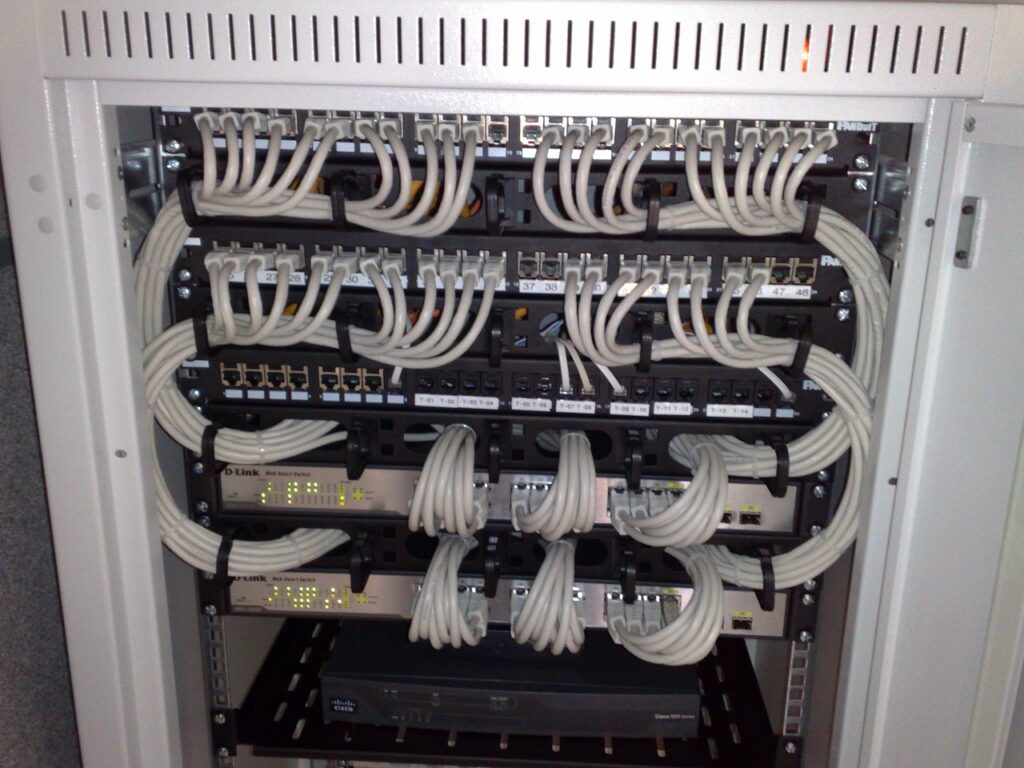
Before the first cable is unplugged, back up the servers and workstations, verify those backups actually restore, and keep one copy outside the office. Then label. Both ends of every cable, every power adapter, every patch-panel port. Photograph each rack and wiring closet from a few angles — those photos become the manual for the rebuild, and the difference between a one-hour bring-up and an afternoon of guessing. It is tedious work that pays for itself when the phone system has to come back together in a different room with unfamiliar outlets.
Wire the new space before the truck arrives
The days the walls are open during a move are the cheapest cabling moment your office will ever have. Low-voltage cabling should be run first: data drops at every planned desk, because when staff pick their workstations they rarely pick the spots that already have wires. The same window is the time to add the drops nobody has asked for yet — printers, wireless access points, cameras, a meeting-room display. Running one extra cable while the ceilings are down costs a fraction of a diagnostic visit six months later. Cabling, patching and testing the new space in advance is what turns move day from a rewire project into a plug-in exercise.
On move day, order is everything
Assign one person as the single point of contact for the entire relocation; everyone — movers, ISP, staff — should know who that is, and updates should flow through them. Then sequence the shutdown and startup. Back up first, then power down cleanly; a running server should never be yanked from the wall. UPS units travel upright and hard drives get padded protection, not a toss into the bin with the extension cords. The network core and servers leave last, so the office keeps working until literally the final hour — and they come off the truck first, because they are the first thing brought back to life. Internet goes live and gets tested, then the phone system, then printers and shared resources. Workstations come last; they fail loudly and are quick to fix.
The bring-up checklist for the first night
Do not let move day end without four answers. Can you reach the internet and load a website? Do the phones ring, both internal and external? Do shared drives and your line-of-business applications open? And does the wireless reach the spots where people are actually sitting, not just the corner where the equipment happens to be? Every “no” is a small fix that evening and a far bigger one two days later, once staff have settled in around a broken corner of the office.
Move IT with a team that does this weekly
If a move is on your calendar, give IT a line on the first page of the plan rather than the last. Networks disassembles, moves and reassembles complete office IT — computers, phones, networking equipment and the accounts behind them — and gives you a single point of contact with continuous updates from the old location to the new one. Tell us your move date and what is coming with you through our contact page, or read more about Long Island office relocation and IT equipment moving. You can also call the office directly at (516) 889-0777 — we will tell you straight what is worth moving, what should be replaced while the walls are open, and how fast you can be working at the new address.